

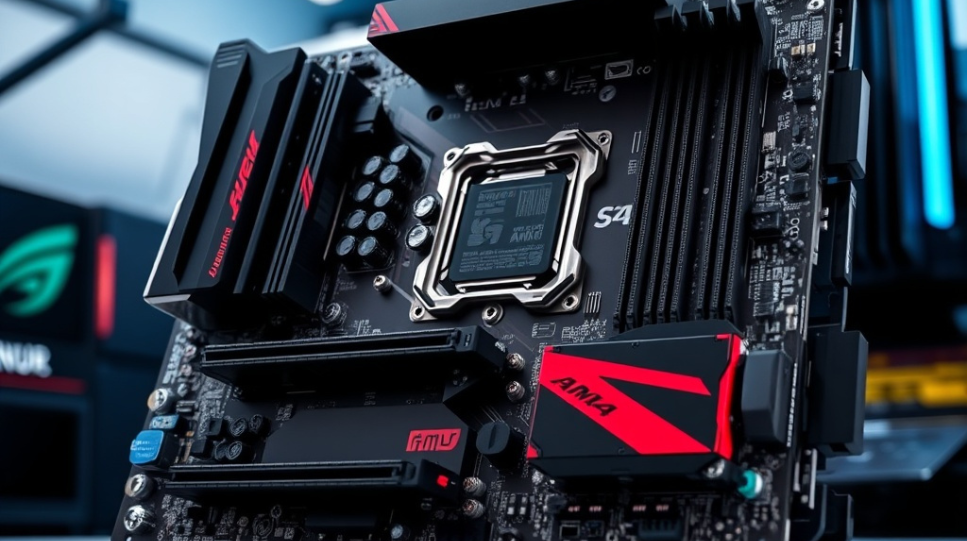
The best AM4 motherboard for most builds in 2026 is a B550 board: it gives PCIe 4.0 from the CPU to the graphics card and main SSD, supports CPU and memory overclocking, and runs every Ryzen 3000, 4000G and 5000 processor without a BIOS update, with UK prices starting at around £65. Choose A520 only for basic builds that will never be overclocked, and X570 or X570S only if you need several full-speed NVMe drives.
The board advice has barely changed in two years, but the market around it has. AMD marked AM4’s tenth birthday at Computex 2026 by putting the Ryzen 7 5800X3D back on sale, a Ryzen 5 5500X3D reached UK shelves in March, and a global DRAM shortage has pushed DDR4 prices up two to three times, which weakens the main financial argument for choosing AM4 at all. This guide covers the chipset differences that matter, the full CPU compatibility matrix, the firmware to look for, what boards and processors cost in the UK, how to buy used, and how to decide between AM4 and AM5. Prices are UK retail as of mid-September 2026 and move quickly on an end-of-line platform.
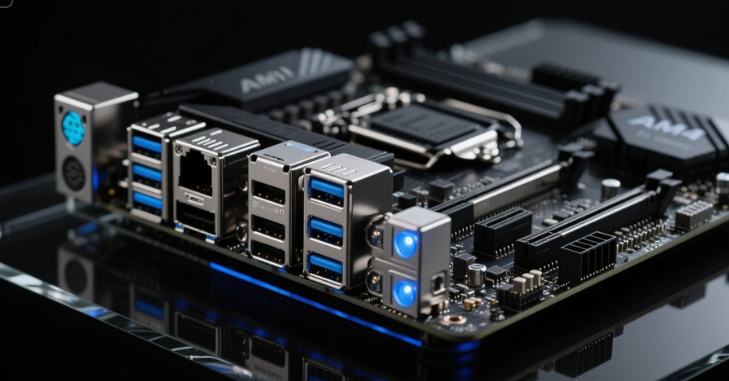
Quick Answer: Which AM4 Board Should You Buy?
| Your situation | Buy | Why |
|---|---|---|
| Office or home PC with an APU, no overclocking | A520 Micro-ATX (£48–£65) | Cheapest new option; fine for six-core chips |
| Gaming build or drop-in upgrade with a Ryzen 5 or 5500X3D | Entry B550 Micro-ATX (£65–£85) | PCIe 4.0, overclocking, native Ryzen 5000 support |
| Ryzen 7 5700X or 5800X3D | Mid-range B550 with VRM heatsinks (£85–£115) | More robust power delivery for eight cores |
| Ryzen 9 5900X or 5950X | Upper B550 or X570S | Strong VRM, better cooling, more connectivity |
| Several NVMe drives, capture cards, 10GbE | X570S (clearance or used) | PCIe 4.0 across the chipset lanes |
| You already own a B450 or X470 board | Keep it and update the BIOS | A drop-in CPU upgrade beats a board swap |
What Changed on AM4 During 2026
AM4 was meant to be finished. It is not, and three developments this year change how you should shop for a board.
First, AMD celebrated the socket’s tenth anniversary at Computex 2026 by reissuing the Ryzen 7 5800X3D as a 10th Anniversary Edition, bundled with a Carbice Ice Pad thermal interface at $349. It went on sale in the United States on 25 June 2026 and reached UK retailers including Overclockers UK, Scan and Amazon on 15 July at £314.99. The silicon is unchanged (eight Zen 3 cores, 3.4 GHz base clock, 96 MB of stacked L3 and a 105 W TDP), but a processor AMD had already discontinued is back in the channel with a warranty.
Second, the Ryzen 5 5500X3D arrived. It launched in China first and then appeared in UK retail at PC Tec for £179.99 in late March 2026 as an OEM tray part with thermal paste and no cooler. It has six Zen 3 cores and twelve threads at 3.0 GHz base and 4.0 GHz boost, the same 96 MB of L3 as its larger siblings, and a 105 W TDP. TechSpot’s testing put it roughly 13 to 15 per cent ahead of a Ryzen 5 5600X in games and about 7 per cent behind the older 5600X3D, with a 40 per cent lead over a Zen 2 Ryzen 7 3800X. For anyone still on a first or second generation Ryzen chip, that is a transformative drop-in upgrade.
Third, AM4 is still getting firmware. AGESA ComboAM4v2PI 1.2.0.11 reached 500-series boards in April 2026, followed by 1.2.0.12 from around June. ASUS shipped it to the ROG Strix B550-F as BIOS 3641 on 30 June, with Gigabyte and MSI a month or two behind. These are security and stability releases rather than new CPU support, but a platform still getting microcode a decade after launch is not one you need to worry about.
The supply picture has thinned, though. The Ryzen 7 5700X3D has effectively disappeared from retail, and both the 5600X3D and the original 5800X3D were discontinued in 2025 before the anniversary reissue brought one back. Several once-common B450 boards are no longer stocked by mainstream UK retailers at all.
AM4 Chipset Comparison
| Chipset | Released | CPU OC | Memory OC | CPU PCIe (GPU) | Chipset lanes | USB 3.2 Gen 2 | Chipset fan |
|---|---|---|---|---|---|---|---|
| A320 | 2017 | No | Limited | PCIe 3.0 x16 | 4 × PCIe 2.0 | 2 | No |
| B350 | 2017 | Yes | Yes | PCIe 3.0 x16 | 6 × PCIe 2.0 | 2 | No |
| X370 | 2017 | Yes | Yes | 2 × PCIe 3.0 x8 | 8 × PCIe 2.0 | 2 | No |
| B450 | 2018 | Yes | Yes | PCIe 3.0 x16 | 6 × PCIe 2.0 | 2 | No |
| X470 | 2018 | Yes | Yes | 2 × PCIe 3.0 x8 | 8 × PCIe 2.0 | 2 | No |
| A520 | 2020 | No | Yes | PCIe 3.0 x16 | 6 × PCIe 3.0 | 1 | No |
| B550 | 2020 | Yes | Yes | PCIe 4.0 x16 | 10 × PCIe 3.0 | 2 | No |
| X570 | 2019 | Yes | Yes | PCIe 4.0 x16 | 16 × PCIe 4.0 | 8 | Usually (X570S is passive) |
The column that matters most is chipset lanes. B550 and X570 both give PCIe 4.0 to the graphics card and the primary M.2 slot, because those lanes come straight from the processor. The difference is everything downstream. X570 runs its own lanes at PCIe 4.0, so a second or third NVMe drive hanging off the chipset gets full speed; on B550, those secondary slots drop to PCIe 3.0.
For a gaming PC with one graphics card and one fast SSD, you will never notice. For a workstation with three NVMe drives, a capture card and a 10-gigabit network adapter, it is the reason X570 exists. Most original X570 boards also use a small chipset fan, and after six or seven years of spinning it is the most common part to fail. The X570S refresh from 2021 uses passive heatsinks and is the version to look for.
Ten years of production also means A320 and B350 are now purely second-hand, X370 and X470 nearly so, and B450 has thinned out badly in UK retail. B550 and A520 are the only AM4 chipsets still sold new in any variety, which makes the decision much simpler than it once was.
Which CPUs Work With Which Chipset
This is where AM4 builds go wrong. The socket is physically the same across every generation, so a processor will drop happily into a board that cannot run it. Check this table before buying anything.
| CPU family | A320 / B350 / X370 | B450 / X470 | A520 / B550 | X570 |
|---|---|---|---|---|
| Ryzen 1000 (Zen, 2017) | Yes | Yes, with BIOS | No | No |
| Ryzen 2000 (Zen+, 2018) | With BIOS | Yes | No | Yes |
| Ryzen 3000G (Picasso APU) | With BIOS | Yes | No | Yes |
| Ryzen 3000 (Zen 2, 2019) | With BIOS | With BIOS | Yes | Yes |
| Ryzen 4000G (Renoir APU) | No | Some, with BIOS | Yes | Yes |
| Ryzen 5000 (Zen 3, 2020) | Select boards, with BIOS | With BIOS | Yes | Yes |
| Ryzen 5000G (Cezanne APU) | No | Some, with BIOS | Yes | Yes |
| 5000XT / 5600T / 5300G (2024 refresh) | No | With recent BIOS | Yes | Yes |
| 5800X3D / 5700X3D | Select boards, with BIOS | With BIOS | Yes | Yes |
| 5600X3D / 5500X3D | Select boards, with BIOS | With BIOS | Yes | Yes |
“With BIOS” means the board needs a firmware update before the processor will POST. AMD enabled Ryzen 5000 support on 300-series boards in 2022 through AGESA ComboAM4v2PI 1.2.0.7, but whether each board actually received that update was up to the manufacturer. Always check the CPU support list on the specific board’s support page rather than assuming from the chipset name; even boards with the same chipset can differ.
The AM4 Processor Line-up Worth Considering in 2026
Ten years of additions have left a confusing catalogue. These are the processors still worth buying, with UK prices at the time of writing.
| Processor | Cores / threads | L3 cache | TDP | UK price | Best for |
|---|---|---|---|---|---|
| Ryzen 5 5500GT | 6 / 12 | 16 MB | 65 W | ~£125 | Office builds with no graphics card |
| Ryzen 5 5600 | 6 / 12 | 32 MB | 65 W | ~£100–£130 | Budget 1080p gaming |
| Ryzen 5 5600X | 6 / 12 | 32 MB | 65 W | ~£160 | 1080p gaming, light productivity |
| Ryzen 5 5500X3D | 6 / 12 | 96 MB | 105 W | £179.99 (tray) | Cheapest route to 3D V-Cache |
| Ryzen 7 5700X | 8 / 16 | 32 MB | 65 W | ~£150–£180 | Mixed gaming and content work |
| Ryzen 7 5800X3D 10th Anniversary | 8 / 16 | 96 MB | 105 W | £314.99 | The fastest gaming chip AM4 will get |
| Ryzen 9 5900X | 12 / 24 | 64 MB | 105 W | ~£220–£260 | Rendering and compiling |
| Ryzen 9 5950X | 16 / 32 | 64 MB | 105 W | ~£350–£420 | Heavy multi-threaded workstations |
Two caveats. The 5800X3D now costs more in the UK than a Ryzen 7 7800X3D on the newer AM5 socket, an odd position for a five-year-old processor that reflects supply rather than performance. And the 5500X3D is a single-retailer, limited-quantity tray part in Britain, so treat its price as provisional.
Upgrade Paths by the CPU You Have Now
| Current CPU | Best value upgrade | Biggest upgrade | Board check |
|---|---|---|---|
| Ryzen 5 1600 / 2600 | Ryzen 5 5600 | 5500X3D or 5800X3D | BIOS with Ryzen 5000 support; 300-series boards only if listed |
| Ryzen 7 1700 / 2700X | Ryzen 7 5700X | 5800X3D | VRM heatsinks for eight-core chips |
| Ryzen 5 3600 | 5500X3D (for games) | 5800X3D | AGESA 1.2.0.6 or later for X3D parts |
| Ryzen 7 3700X | 5700X (small gain) | 5800X3D (for games) or 5900X (for work) | Check VRM quality for Ryzen 9 |
| Ryzen 5 5600 / 5600X | Usually not worth it | 5800X3D for high-refresh gaming | Already compatible |
BIOS Flashback: The Feature That Matters Most
If you buy a 400-series board to run a Ryzen 5000 processor, you can hit a chicken-and-egg problem: the board needs a BIOS update to recognise the chip, but a normal BIOS update needs a working chip installed. BIOS Flashback solves it. You copy the firmware file to a USB stick, plug it into a marked port and press a button with no CPU, RAM or graphics card fitted.
Each brand names it differently: ASUS uses USB BIOS FlashBack, MSI calls it Flash BIOS Button, Gigabyte uses Q-Flash Plus and ASRock calls it BIOS Flashback. Look for the physical button on the rear I/O panel. Without it, your choices are borrowing a compatible older processor or buying a board that already ships with recent firmware. Treat Flashback as essential on any 400-series purchase and a strong preference on B550.
Which BIOS Version to Ask For
These thresholds are the single most useful thing to ask a private seller about.
- AGESA 1.2.0.3 or later: required for Ryzen 5000 support on 400-series boards.
- AGESA 1.2.0.6 or later: required for the 5800X3D and other stacked-cache parts.
- AGESA 1.2.0.7: the release that opened Ryzen 5000 support to 300-series boards in 2022, at each manufacturer’s discretion.
- AGESA 1.2.0.C: contained the mitigation for the SinkClose privilege-escalation flaw disclosed in 2024.
- AGESA 1.2.0.11 (April 2026) and 1.2.0.12 (mid-2026): the current releases, with further security fixes. Worth flashing, but not worth paying extra for a board that already has them.
A used board with pre-2022 firmware is fine if it has Flashback. A used board with old firmware and no Flashback button is a problem and should be priced accordingly.
VRM and Power Delivery: What Actually Matters
The voltage regulator module (VRM) takes 12 V from the power supply and steps it down to the roughly 1.0–1.4 V the processor needs. Marketing focuses on phase counts, but what matters is the current rating of the power stages and whether the VRM has proper heatsinks.
- Six-core CPUs (Ryzen 5 5600, 5600X) are happy on almost anything, including budget A520 and B450 boards. Package power sits at around 76 W.
- Eight-core CPUs (Ryzen 7 5700X, 5800X, 5800X3D) want a mid-range board with heatsinked VRMs. The 5800X draws around 140 W at full load and will make a cheap four-phase VRM run hot.
- Twelve- and sixteen-core CPUs (Ryzen 9 5900X, 5950X) need a good board: look for twelve or more power stages rated at 50 A or above, with substantial finned heatsinks.
- X3D parts are a special case. They are locked against conventional overclocking and run a lower voltage ceiling to protect the stacked cache, so sustained VRM demand is more modest than the 105 W label suggests. A decent mid-range B550 handles a 5800X3D comfortably.
A simple rule: if you can see bare inductors and MOSFETs beside the socket with no metal heatsink on top, do not pair that board with anything above six cores. VRM throttling barely shows in a thirty-second benchmark but is very obvious in a forty-five-minute render.
Memory: DDR4 Only, and No Longer Cheap
AM4 is DDR4 throughout; there is no DDR5 option on this socket. For most of the platform’s life that was an advantage because DDR4 was almost given away. In 2026 that stopped being true.
A global DRAM shortage, driven largely by memory makers moving capacity towards high-bandwidth memory for AI accelerators, has hit both standards. Tom’s Hardware’s running price index shows the cheapest DDR4-3200 32 GB kit at roughly $179 in 2026, against $60 to $90 in October 2025, with 16 GB kits at $89 to $104. DDR5 has risen further, from around $100 to $200 for 32 GB to over $350. One UK system builder currently quotes 16 GB of DDR4 at £133.19 against £225.00 for DDR5.
Forecasts on how long this lasts vary widely. Some industry watchers quoting supplier guidance expect constraint into late 2027, while more optimistic forecasts put the peak around mid-2026 with gradual easing afterwards. Nobody selling memory benefits from predicting a crash, so buy what you need when you see a sensible price rather than waiting.
For AM4 buyers, DDR4 is still meaningfully cheaper than DDR5, but the gap on a 16 GB kit is now around £90 rather than the much wider gulf of two years ago. If you already own DDR4, that memory is now the strongest argument for staying on AM4. If you are buying memory from scratch, the sums are much closer than they used to be.
| CPU generation | Sweet spot | Infinity Fabric (FCLK) | Notes |
|---|---|---|---|
| Ryzen 1000 / 2000 | DDR4-3000 to 3200 CL14–16 | Tied to memory clock | Fussier memory controller; two sticks recommended |
| Ryzen 3000 | DDR4-3600 CL16 | 1800 MHz, 1:1 | Beyond 3600 usually forces a 2:1 ratio and loses performance |
| Ryzen 5000 | DDR4-3600 CL16 | 1800 MHz, 1:1 | Some chips reach FCLK 1900–2000; not guaranteed |
| 5800X3D / 5700X3D / 5600X3D | DDR4-3200 to 3600 CL16 | 1600–1800 MHz | Large L3 cache greatly reduces memory sensitivity |
| 5500X3D | DDR4-3200 CL16 | 1600 MHz | Among the least memory-sensitive AM4 parts |
Two practical points. With two sticks, use the second and fourth slots counted from the processor (usually labelled A2 and B2); the manual will confirm it. And switch on the memory profile in the BIOS: a DDR4-3600 kit runs at 2133 MHz until you enable D.O.C.P., EXPO or XMP, and plenty of PCs spend years at default speed because nobody did.
The stacked-cache chips matter more than ever here. Their large L3 makes them much less sensitive to memory speed, so pairing a 5500X3D or 5800X3D with a modest DDR4-3200 kit costs very little performance. With fast memory now expensive, that is a real saving.
Storage, Lanes and PCIe Allocation
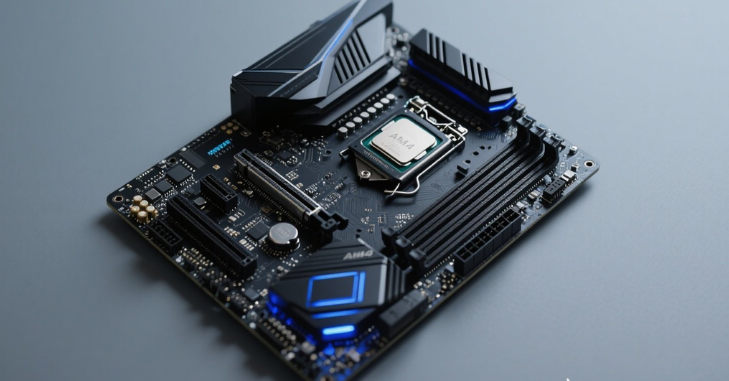
A Ryzen 3000 or 5000 processor provides 24 PCIe 4.0 lanes: sixteen for the graphics slot, four for the primary M.2 slot and four for the chipset link. Everything else, including extra M.2 slots, additional PCIe slots, SATA ports and USB controllers, shares the chipset’s lanes. That sharing creates trade-offs listed in the manual that you will otherwise discover the hard way:
- Filling a second M.2 slot often disables two SATA ports.
- Using a lower full-length slot often drops the main graphics slot from x16 to x8.
- On B550, only the top M.2 slot runs at PCIe 4.0; the second runs at PCIe 3.0.
- APUs (4000G, 5000G, 5300G and 5500GT) provide only PCIe 3.0 and fewer lanes, so a B550 board with an APU gives you no PCIe 4.0 at all.
- A PCIe 5.0 SSD will fit an AM4 board’s M.2 slot but runs at PCIe 4.0 or 3.0 speeds, so it is money wasted on this platform.
None of this matters for a single-GPU, single-SSD gaming PC. All of it matters if you are adding capture cards or a stack of drives, so read the block diagram in the manual before buying a second SSD.
Features to Check Beyond the Chipset
Two boards with the same chipset can feel very different to live with. Before you buy, check:
- Networking: 2.5 GbE wired is common on newer B550 boards; integrated Wi-Fi 6 or 6E saves buying a card. Boards with “WiFi” in the name include it.
- Rear USB: count the USB ports and check for USB-C, especially on budget Micro-ATX boards that may only have a handful.
- Fan headers: three or more is comfortable for a typical case; budget boards sometimes have only two plus the CPU header.
- M.2 slots and heatsinks: at least one slot with a heatsink is useful for a PCIe 4.0 drive.
- Display outputs: only relevant with an APU, but check for HDMI and DisplayPort if you plan to use integrated graphics.
- Debug LEDs or a POST code display: small lights that show whether the CPU, memory, graphics or boot device is the problem save hours of guessing.
Cooling, Case and Power Supply Pairings
The board is only one part of a stable AM4 system. Match the rest of the build to the processor you choose.
| Processor class | Cooler | Power supply (with mid-range GPU) | Case airflow |
|---|---|---|---|
| Ryzen 5 5500GT, 5600 (65 W) | Bundled Wraith Stealth is adequate; a £25–£35 tower cooler is quieter | 450–550 W, good quality | Any case with one intake and one exhaust fan |
| Ryzen 7 5700X (65 W) | Single-tower air cooler | 550–650 W | Front intake fans recommended |
| 5500X3D, 5800X3D (105 W) | Good single-tower or dual-tower air cooler | 650 W | Mesh front panel helps; X3D chips run warm |
| Ryzen 9 5900X, 5950X (105 W) | Dual-tower air cooler or 240–280 mm AIO | 650–750 W | Strong front-to-back airflow |
The X3D chips deserve a note. Their stacked cache sits on top of the cores and makes heat harder to move, so they reach higher temperatures than a standard 5800X at similar power. That is normal, and the chips manage their own clocks, but a decent cooler keeps boost speeds higher for longer and the fans quieter. A tray 5500X3D also ships without a cooler, so add one to the budget.
Power supply quality matters more than headline wattage. A well-reviewed unit from an established brand, with the correct 8-pin EPS cable and enough PCIe connectors for your graphics card, protects the board’s VRM and the rest of the system far better than a cheap high-wattage unit.
Form Factors and UK Pricing
| Format | Size | Expansion slots | RAM slots | Typical UK price, Sept 2026 |
|---|---|---|---|---|
| ATX | 305 × 244 mm | Up to 7 | 4 | £78–£190 |
| Micro-ATX | 244 × 244 mm | Up to 4 | 2 or 4 | £48–£142 |
| Mini-ITX | 170 × 170 mm | 1 | 2 | £129–£210 |
Mini-ITX carries a price premium and a thermal penalty: fewer VRM phases squeezed into less space. The ASRock B550M-ITX/ac at around £129.59 is one of very few AM4 ITX boards still in normal distribution. Choose it only when case size genuinely limits you, and check cooler clearance against your case first. Our guide to the NZXT H5 Flow covers an airflow-focused mid-tower that lets you use a cheaper, full-size board instead.
Micro-ATX is the value sweet spot on AM4. Boards such as the Gigabyte B550M K at £64.99, the MSI B550M Pro-VDH at £79.99 or the ASRock B550M Pro4 at £82.49 deliver essentially all the gaming performance of a full ATX board, with the same CPU-attached PCIe 4.0, for less money.
What to Buy at Each Budget
| Budget | Chipset | Example boards and UK prices | Pair with |
|---|---|---|---|
| £48–£65 | A520 | ASRock A520M-HVS £48.36, ASRock A520M-HDV £53.99, Gigabyte A520M H £62.39 | Ryzen 5 5500GT, 5600 (no overclocking) |
| £65–£85 | B550 | Gigabyte B550M K £64.99, ASUS Prime B550M-K ARGB £66.98, ASRock B550M-HDV £68.65, Gigabyte B550M Aorus Elite £79.93, MSI B550M Pro-VDH £79.99, ASRock B550M Pro4 £82.49 | Ryzen 5 5600, 5600X, 5500X3D |
| £85–£115 | B550 | MSI B550-A Pro £89.99, ASRock B550 PG Riptide £110.39 | Ryzen 7 5700X, 5800X3D |
| £115–£150 | B550 | ASRock B550M-ITX/ac £129.59, ASUS TUF Gaming B550M-Plus WiFi II £141.52 | Ryzen 9 5900X, small-form-factor builds |
| £150+ or used | X570 / X570S | Gigabyte X570S Aero G, ASUS ROG Strix X570-E; largely clearance and second-hand now | Ryzen 9 5950X, multi-NVMe workstations |
Prices vary a lot because AM4 boards are end-of-line stock that retailers are not replenishing. Some models have vanished from UK retail and now cost more used than they did new, while others sit on permanent clearance. B450 has largely dropped out of mainstream distribution, which ends the old advice to save £20 on the older chipset: a new B550 at £65 now undercuts most remaining B450 listings and adds PCIe 4.0.
How to Choose an AM4 Board in Five Steps
- Start with the CPU. Decide the processor first, then confirm it appears on the board’s CPU support list with the BIOS version required.
- Match the VRM to the core count. Six cores: anything; eight cores: heatsinked VRM; twelve or sixteen cores: a strong mid-range or upper board.
- Pick the chipset. B550 by default, A520 only for basic builds, X570S for multiple fast NVMe drives.
- Pick the form factor to suit your case. Micro-ATX for value, ATX for expansion, Mini-ITX only for small cases.
- Check the extras. BIOS Flashback, Wi-Fi if you need it, enough USB and fan headers, and an M.2 heatsink.
Fitting the CPU and Cooler on AM4
AM4 processors carry their pins on the underside of the chip, so the processor itself is the fragile part. Lift the socket lever fully, line up the gold triangle on the corner of the CPU with the triangle on the socket, and lower it in without pressure; it should drop into place under its own weight. If it does not, stop and check alignment rather than pushing. Close the lever only once the chip sits flat.
Most AM4 boards ship with plastic retention brackets and a metal backplate. Many tower coolers and AMD’s own Wraith coolers use the existing backplate, either clipping onto the brackets or screwing straight into the backplate after the brackets are removed. Check the cooler’s instructions before taking anything off, because some coolers need the stock backplate and others bring their own. A small pea of thermal paste in the centre of the CPU is enough; the mounting pressure spreads it.
When removing an AM4 cooler later, run the PC for a few minutes first to warm the paste and twist the cooler gently before lifting. Cold paste can glue the processor to the cooler and pull it out of a closed socket, bending pins in the process. That single mistake damages more AM4 chips than anything else.
Common AM4 Build Mistakes
- Buying a CPU the board cannot run yet. The socket fits, the PC does not POST, and without Flashback there is no easy fix.
- Pairing a Ryzen 9 with a bare-VRM budget board. It works at first, then throttles under long loads.
- Plugging the monitor into the motherboard with a non-APU processor. Chips without integrated graphics, such as the 5600 or 5800X3D, need a graphics card for any display.
- Leaving memory at default speed. Forgetting to enable the memory profile costs measurable performance on non-X3D chips.
- Using the wrong RAM slots. Two sticks side by side in A1 and A2 can run in single-channel mode.
- Paying for PCIe 5.0 storage. AM4 cannot use the extra speed.
- Overspending on the board. For gaming, a £65 to £90 B550 performs almost exactly like a £180 one with the same processor and graphics card.
Buying a Used AM4 Board: Checklist
- Ask for the BIOS version. A photo of the BIOS main screen tells you immediately whether it will run a Ryzen 5000 chip without a Flashback update.
- Inspect the socket. AM4 is a pin-grid socket, so the pins are on the processor, but socket holes can be damaged and bent pins on an included CPU are common.
- Check the capacitors around the VRM and socket. Any bulging or leaking means walk away.
- On X570, ask whether the chipset fan is noisy. At six or seven years old, it is the most common failure point.
- Ask how it was used. A board that spent four years under a heavily boosted 5950X has had a harder life than one under a 5600.
- Confirm the I/O shield is included, unless the board has one built in.
- Check all M.2 standoffs and screws are present. Replacements are cheap but fiddly to find.
- Compare against new B550 prices first. With entry B550 boards at £65 new with a warranty, a used board only makes sense below roughly £45 or for a specific high-end model.
AM4 Versus AM5 in 2026
| Factor | AM4 | AM5 |
|---|---|---|
| Memory | DDR4 only | DDR5 only |
| PCIe | Up to 4.0 | Up to 5.0 |
| Entry board price (UK) | £48 (A520), £65 (B550) | Around £95 (A620/B650) |
| Fastest gaming CPU | Ryzen 7 5800X3D 10th Anniversary, £314.99 | Ryzen 7 9800X3D and above |
| Newest budget X3D option | Ryzen 5 5500X3D, £179.99 | Ryzen 7 7700X3D, launched 16 July 2026 at $329 |
| Future CPU upgrades | None; the 2026 reissues are the end | Officially supported through 2029, covering Zen 6 and beyond |
| Best for | Upgrading an existing AM4 PC, builds reusing DDR4 | New builds intended to last, high-refresh 1440p and 4K, heavy productivity |
At Computex 2026 AMD confirmed AM5 support through 2029, which on its own roadmap covers the Zen 6 generation and at least one architecture after it. That turns AM5’s longevity from a promise into a published commitment and strengthens the case for the newer socket on any PC you plan to keep.
The recommendation splits cleanly. If you already own an AM4 board and DDR4, the best money you can spend is a drop-in X3D upgrade: a 5500X3D at £179.99 or a 5800X3D at £314.99 keeps a 1440p system competitive for a fraction of the cost of a new platform, and avoids buying DDR5 in the worst memory market in a decade. If you are starting from nothing, AM5 is the better buy despite the higher entry cost, because a modest saving on the board is outweighed by years of upgrade path. The Ryzen 7 7700X3D exists to make that entry point more palatable, and even a conventional AM5 chip such as the Ryzen 7 7700 lands in similar territory to a 5800X3D for productivity work.
Remember that the graphics card dominates gaming performance far more than the motherboard or socket. Our look at the 5090 graphics card covers the very top end, although a flagship GPU will be held back by an AM4 processor at 1080p and 1440p. Budget accordingly, and if you are building from scratch, a well-ventilated PC tower matters more to long-term noise and temperatures than the chipset on the board inside it.
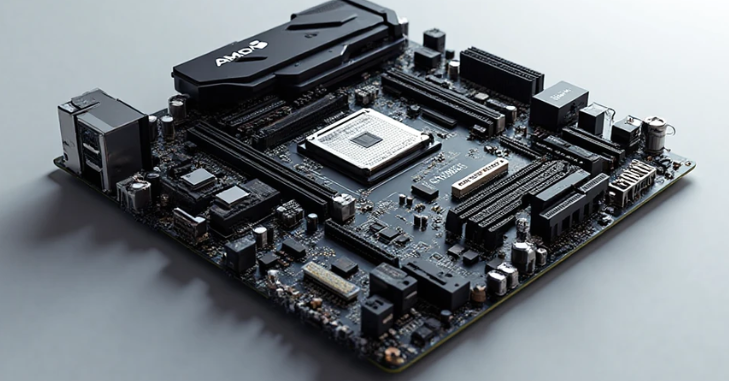
Setup Steps That Prevent Most Problems
- Update the BIOS before installing anything else if the board has Flashback. It is far easier with the board out of the case, and current 500-series firmware carries AGESA 1.2.0.11 or 1.2.0.12.
- Fit RAM in slots A2 and B2, the second and fourth from the processor, for dual-channel operation.
- Enable the memory profile (D.O.C.P., EXPO or XMP), then run a memory test before installing the operating system. With memory this expensive, catching a faulty kit inside the returns window matters.
- Use Precision Boost Overdrive rather than a manual all-core overclock. On Ryzen 5000, PBO with a negative Curve Optimiser offset beats fixed-frequency overclocking in almost every case. X3D parts do not allow multiplier overclocking; Curve Optimiser undervolting is the only tuning available where the BIOS supports it.
- Connect the 24-pin and the 8-pin EPS power connectors. An extra 4-pin EPS is not needed below a Ryzen 9.
- Remove the protective film from the M.2 heatsink pad before fitting an SSD; it is easy to miss and stops heat transferring.
- Set a sensible fan curve before first use. Default CPU fan profiles are often aggressive and will ramp audibly at idle on a 105 W chip.
If the Board Will Not POST
Most first-boot failures on AM4 come down to a handful of causes. Watch the debug LEDs: a CPU light usually means the BIOS is too old for the processor, so flash it with Flashback. A DRAM light points to memory: reseat the sticks, try one stick in A2, and leave the profile off until the system boots. A VGA light means the graphics card is not seated or powered, or you are using a non-APU processor and plugged the monitor into the motherboard outputs. A BOOT light just means no operating system was found. Also check the CPU cooler is not overtightened, and that the 8-pin EPS cable, not a PCIe cable, is in the CPU power socket.
Keeping an AM4 PC Healthy for Years
An AM4 system bought or upgraded now can comfortably serve another four or five years with a little care. Clean dust filters and heatsinks every few months, because dust on VRM heatsinks and in the cooler fins raises temperatures gradually enough that nobody notices. Replace thermal paste when temperatures creep up noticeably compared with when the system was new. Install BIOS updates when they fix security or stability problems, but there is no need to chase every release once the system is stable. Keep a note of your BIOS settings, especially memory profile and fan curves, because a firmware update often resets them to defaults. Finally, keep the original box and accessories for the board; they add noticeably to resale value on an end-of-line platform where complete used boards are in demand.
Frequently Asked Questions
Which AM4 chipset should I buy in 2026?
B550 for almost every build. It provides PCIe 4.0 to the graphics card and main M.2 slot, supports CPU and memory overclocking, and runs every Ryzen 3000, 4000G and 5000 chip without a BIOS update, from about £65 in the UK. Choose A520 only if you will never overclock, and X570S only if you need PCIe 4.0 on several chipset-connected NVMe drives.
Did AMD release new AM4 processors in 2026?
Yes. At Computex 2026 AMD reissued the Ryzen 7 5800X3D as a 10th Anniversary Edition, which reached UK retailers on 15 July at £314.99. The six-core Ryzen 5 5500X3D also appeared in UK retail in late March 2026 at £179.99, and AM4 boards received AGESA 1.2.0.11 and 1.2.0.12 firmware updates during the year.
Will a Ryzen 5800X3D work in a B450 motherboard?
Yes, provided the board has firmware with AGESA 1.2.0.6 or later and an adequate VRM, and most B450 boards from the major brands received that update. If yours has older firmware, you will need BIOS Flashback or a borrowed older Ryzen chip to update it, because the board will not POST with the 5800X3D on old firmware.
Does AM4 support DDR5 memory?
No. AM4 supports DDR4 only on every chipset, and DDR5 requires the AM5 socket. DDR4 is still cheaper in 2026, but the gap is smaller than it was: one UK builder currently quotes 16 GB of DDR4 at £133.19 against £225.00 for DDR5.
Is it still worth building a new AM4 system?
It is worth it if you already own DDR4 memory or an AM4 board, because a Ryzen 5 5600 or 5500X3D upgrade costs little and avoids buying DDR5 in a poor market. For a brand-new PC you plan to keep five years or more, AM5 is the better choice, since AMD has committed to supporting it through 2029 while AM4 has reached the end of its roadmap.
What RAM speed is best for a Ryzen 5000 CPU?
DDR4-3600 CL16 is the sweet spot because it lets the Infinity Fabric run at 1800 MHz in a 1:1 ratio with the memory. Going beyond 3600 usually forces a 2:1 ratio that adds latency. For the X3D chips, DDR4-3200 performs almost identically thanks to the large cache, so there is little reason to pay extra for faster kits.
What is BIOS Flashback and why does it matter on AM4?
BIOS Flashback lets you update the motherboard firmware from a USB stick with no processor, memory or graphics card installed. It matters because AM4 boards often ship with firmware too old for newer Ryzen chips, and without it you would need a compatible older processor just to run the update. Brands call it USB BIOS FlashBack, Flash BIOS Button, Q-Flash Plus or BIOS Flashback.
Why has DDR4 memory become so expensive?
Memory manufacturers have moved production capacity towards high-bandwidth memory for AI accelerators, tightening supply of ordinary DRAM. Tom’s Hardware’s price index shows the cheapest 32 GB DDR4-3200 kit at roughly $179 in 2026 against $60 to $90 in October 2025. Forecasts for when prices ease vary, so buy when you find a fair price rather than waiting for a crash.
Bottom Line on AM4 Motherboards
Buy a B550 board unless you have a specific reason not to: Micro-ATX from about £65 for six-core chips, a heatsinked mid-range model for eight cores, and X570S only for heavy storage needs. If you already run AM4, keep the board, update the BIOS and drop in a 5500X3D or 5800X3D for the best value upgrade available. If you are starting from scratch with no DDR4 to reuse, compare the full cost against an AM5 build before committing, because AM5 is where future upgrades will happen.

