A membrane keyboard continues to be a go-to choice for users who value simplicity, quiet typing, and affordability without sacrificing everyday performance. Despite the growing popularity of mechanical alternatives, membrane keyboards remain widely used in homes and offices thanks to their sleek design and smooth, low-noise operation.
Whether you’re a casual typist, a budget gamer, or someone looking for a reliable and low-maintenance option, a offers a practical balance of comfort, efficiency, and value in today’s fast-paced digital world.
In this guide, we’ll explore everything you need to know, from how membranes work and their typing experience to durability, gaming suitability, and the best options available today.
| Category | Details |
| Type | Membrane Keyboard |
| Technology | Pressure-based membrane layers |
| Typing Feel | Soft, smooth, low tactile feedback |
| Noise Level | Quiet |
| Lifespan | 5–10 million keystrokes |
| Price Range | Low to mid-range |
| Build Design | Slim, lightweight |
| Durability | Moderate (good for everyday use) |
| Gaming Performance | Suitable for casual gaming |
| Maintenance | Low, easy-to-clean |
| Key Features | Spill resistance, multimedia keys, quiet typing |
| Best For | Office work, students, casual users, budget gamers |
What Is a Membrane Keyboard?
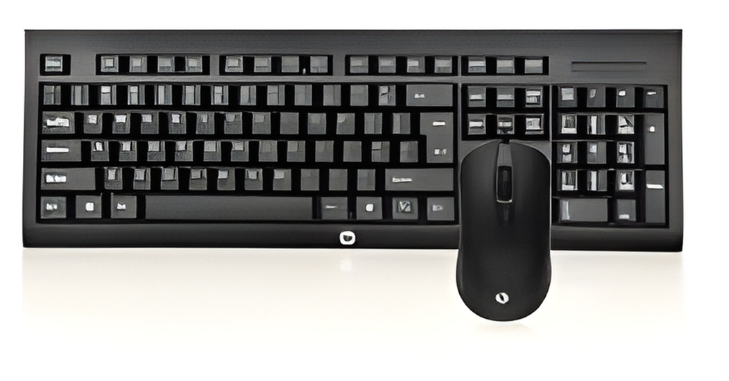
A membrane keyboard is a type of keyboard that uses a thin, flexible membrane layer beneath the keys to register keystrokes, rather than individual mechanical switches. When a key is pressed, it pushes down on the top layer, contacting a conductive layer underneath to complete an electrical circuit and send the signal to the computer.
Typically built with a three-layer structure consisting of a top membrane with key labels, a middle conductive layer, and a bottom layer for input recognition, this design allows for quiet operation due to the soft contact between layers.
As a result, they are more affordable, lightweight, and widely used in office environments and casual setups where noise reduction and cost efficiency are important.
Features of Membrane Keyboards
- Quiet Typing: Soft keystrokes reduce noise, making them suitable for offices or shared spaces.
- Lightweight and Slim Design: Often thinner and lighter than mechanical keyboards, ideal for portable setups.
- Affordable Price: Significantly cheaper than mechanical or hybrid keyboards.
- Spill Resistance: Many modern models offer basic spill protection, useful for daily use.
- Multimedia Keys: Dedicated keys for volume, playback, and shortcuts are common.
- USB or Wireless Connectivity: Available in both wired and wireless versions for flexibility.
Typing Experience on a Membrane Keyboard
The typing experience on a membrane keyboard is noticeably different from mechanical keyboards, mainly due to its soft key mechanism and quieter operation. It is designed to provide a smooth and comfortable feel, making it suitable for everyday typing tasks and long working hours.
Soft Keypresses
It offer soft keypresses that require less force to register input. This can help reduce finger strain during extended use, although some users may find the feel slightly “mushy” compared to the tactile feedback of mechanical switches.
Quiet and Smooth Operation
One of the biggest advantages of this is their quiet and smooth typing experience. This makes them ideal for shared environments such as offices, libraries, or late-night use where noise levels need to be minimal.
Learning Curve

Due to the lack of tactile feedback, some users may need time to adjust when switching to a device that typically has the presence of a noticeable “click” or bump. This can initially affect typing accuracy and speed until the user becomes accustomed to the feel.
Key Travel and Speed
typically have shorter key travel, which can help increase typing speed for casual users. However, for fast typists, reduced feedback may sometimes impact precision and lead to occasional typing errors.
Best Practices for Typing
To get the best experience from it, it’s important to adopt proper typing habits. Using light, consistent pressure can help reduce finger fatigue, while maintaining correct wrist posture prevents strain during long sessions. Additionally, keep the key.
Advantages
- Cost-Effective: Ideal for budget-conscious buyers.
- Quiet Operation: Great for quiet environments like libraries or offices.
- Low Maintenance: Fewer moving parts reduce the risk of failure or dust-related issues.
- Compact Designs: Many are slim and portable, perfect for minimal desk setups.
- Soft Key Feel: Gentle keypresses reduce finger fatigue during extended typing sessions.
Disadvantages
- Shorter Lifespan: Typically rated for 5–10 million keystrokes, lower than mechanical alternatives.
- Mushy Key Feel: Lack of tactile feedback can make typing less satisfying.
- Slower Response: Not ideal for competitive gaming where millisecond accuracy matters.
- Difficult Key Replacement: Individual keys are not easily replaced; the whole keyboard may need replacement if damaged.
- Limited Customization: Fewer options for switch types, keycaps, and RGB lighting.
Membrane vs Mechanical Keyboards
| Feature | Membrane Keyboard | Mechanical Keyboard |
| Typing Feel | Soft, quiet, less tactile | Crisp, tactile, louder |
| Lifespan | 5–10 million keystrokes | 50–100 million keystrokes |
| Price | Low- to mid-range | Mid- to high-range |
| Noise Level | Quiet | Louder |
| Gaming Suitability | Casual gaming | Competitive gaming |
| Maintenance | Low | Moderate, switch replacement possible |
Durability and Build Quality
- Expected Lifespan: Typically, 5–10 million keystrokes, sufficient for casual or office use.
- Material Quality: Keycaps are usually made from ABS plastic; higher-quality models may feature PBT for better wear resistance.
- Spill Resistance: Many keyboards have a basic coating to prevent liquid damage, but deep spills can still ruin the keyboard.
- Overall Longevity: Suitable for standard use, but heavy gaming or aggressive typing may shorten lifespan.
Gaming Performance of Membrane Keyboards
Pros for Gaming
- Quiet operation avoids disturbing others.
- Affordable option for casual or budget gamers.
- Lightweight for portability to LAN parties or mobile setups.
Cons for Gaming
- Slower response times can hinder competitive play.
- Less tactile feedback can reduce accuracy in fast-paced games.
- Key rollover may be limited; some models support only 2–6 simultaneous key presses (anti-ghosting is less common).
Key Considerations Before Buying
- Usage Type: Office work, casual typing, or light gaming.
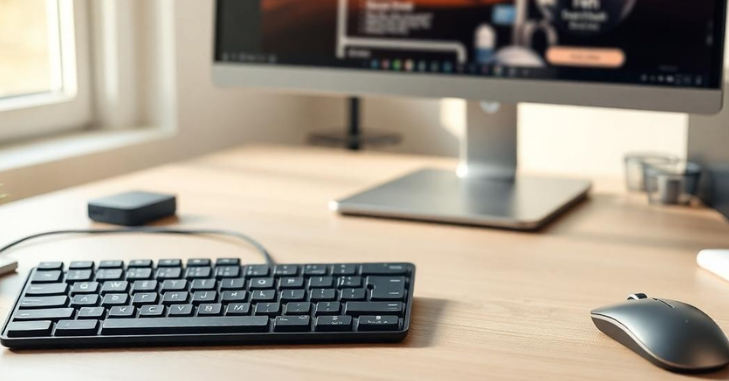
- Key Layout: Standard full-size, tenkeyless (TKL), or compact 60% layout.
- Connectivity: Wired for reliability, wireless for portability.
- Backlighting: Optional, but RGB or single-color lighting may enhance aesthetics.
- Build Material: Look for durable plastic and reinforced keycaps.
- Additional Features: Multimedia keys, adjustable tilt, wrist rest, and spill resistance.
Best Membrane Keyboards on the Market
Several membrane keyboards stand out for their performance, reliability, and value across different use cases. The Logitech K120 is a classic office choice known for its durability, quiet typing, and affordability, while the Microsoft Wired Keyboard 600 offers dependable performance with a spill-resistant design and full-size layout.
For gamers, the Corsair K55 RGB provides RGB lighting and dedicated media controls, and the Razer Cynosa V2 delivers a balance of soft keypresses, customizable lighting, and macro support. Meanwhile, the HP K1500 serves as a budget-friendly option with useful multimedia keys, spill resistance, and a slim, practical design.
Maintenance Tips for Membrane Keyboards
- Regular Cleaning: Wipe keys with a damp cloth; remove dust from between keys using compressed air.
- Avoid Excessive Force: Press keys gently to prevent membrane damage.
- Protect From Spills: Use keyboard covers or avoid placing liquids nearby.
- Store Properly: Keep away from extreme heat or direct sunlight.
Conclusion
Membrane keyboards continue to be a reliable and budget-friendly choice for everyday users, offering quiet operation, comfortable typing, and low maintenance. While they may not deliver the same tactile feedback or long-term durability as mechanical options, a membrane keyboard still provides excellent value for office work, casual gaming, and general home use, making it a practical option for those seeking simplicity and efficiency.
Want to know about MacBook Pro 2022: Complete Review of Design, Performance, Display Quality, Ports, Chip Power, Battery Life, and User Experience Check out our Tech category.
FAQs
A top membrane layer, a spacer layer, and a bottom layer with conductive traces are used in membrane keyboards.
The conclusion is as follows: Mechanical keyboards last 10–15 years (50–100 million keystrokes) and are repairable.
By concentrating just on letter and number keys, 60% of keyboards provide all the keys that gamers require while saving a significant amount of room by eliminating the ones they don’t.